Note: This content appears in a slightly different form in our ebook: CMGT 101: 17 Community Leaders Share Their Secrets for Success.CMGT 101 is packed with engagement ideas, governance tips, career advice, and more from community leaders working at innovative organizations like CA Technologies, Aetna, Electronic Arts, SAP, Pearson, Akamai, and Atlassian. Download the ebook here for free.
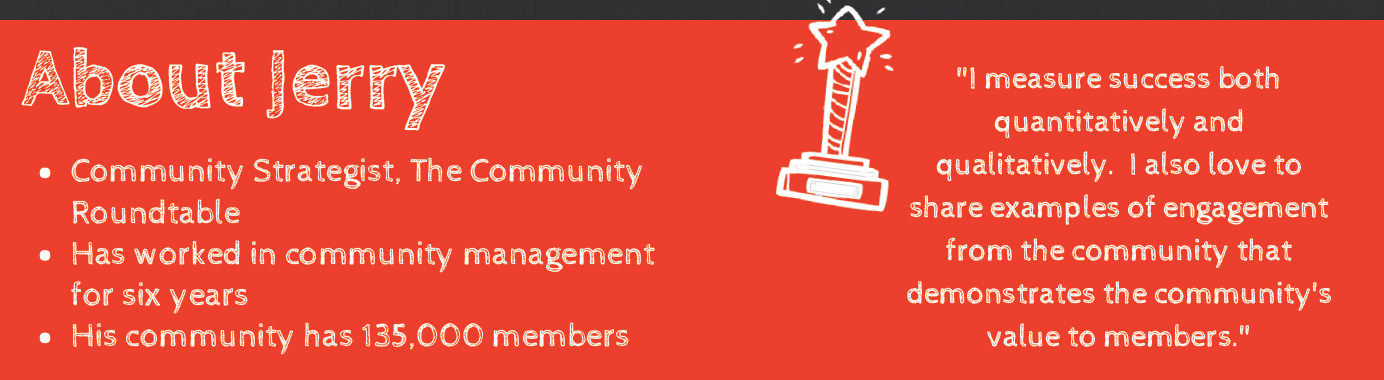
 Jerry Green is a Community Strategist at The Community Roundtable. He shared his best practices for moderation in online communities.
Why is it moderation important to the overall health of an online community?
A well-moderated community provides a welcome place for members and guests. Good moderation builds trust among the members and ensures that the community is a safe place to engage. Once assured that a community is safe, users will feel comfortable sharing and the quality of the engagement improves.
Moderation in Online Communities Tip #1: Do welcome new members to the community.
This is especially important when launching a new community. Acknowledge new members, reiterate the purpose of the community and encourage them to participate.
Moderation in Online Communities Tip #2: Do show members how to participate. 
Give new members a list of three things to do. These can include: Read the guidelines for participating; like a post, you value or enjoy; search for a topic of interest; respond to a post you can contribute to.
Moderation in Online Communities Tip #3: Do be sure you understand the question or issue.
Before you respond to a member’s post, read the post again. Especially in a customer support community, it’s important to show that you understand the question and are genuinely interested in assisting. Too often I see a member respond “That’s not what I was asking. Did you even read my post?”
Moderation in Online Communities Tip #4: Do establish clear guidelines for participation.
Your guidelines should focus on encouraging the behavior you’d like members to exhibit in addition to discouraging the conduct that is prohibited. Be firm and consistent in applying the guidelines to all members. When dealing with undesirable member behavior, use the guidelines as justification for corrective action.

Moderation in Online Communities Tip #5: Don’t be a robot.
Respond in a sincere, personal voice. Some community moderation platforms provide the functionality of selecting a pre populated response. Avoid using “canned” responses unless volume necessitates it. Even when you’re using an automated response – take the time to make sure it is in the tone of your community so it won’t feel robotic (unless robots are your thing. In which case: be-boop-boop.)






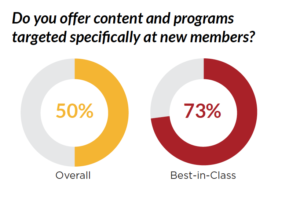
 One of the most consistent findings in our
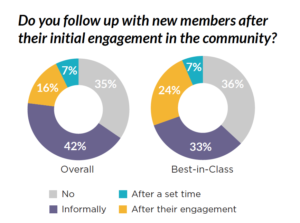
  If you’re like many communities – you don’t follow up again to see how the settling in process has gone. But maybe you should.
 So what can you do?

 One of the most common questions we get from members is, “How do I increase the value and the volume of member engagement?” This challenge persists across all community types, sizes and use cases. One way we’ve found to increase audience engagement, in terms of both quality and quantity, is to implement an editorial calendar for your community programming.